How to Create an Amazon Kinesis Data Stream using the AWS Console?
Share
Condition for Create an Amazon Kinesis Data Stream using the AWS Console
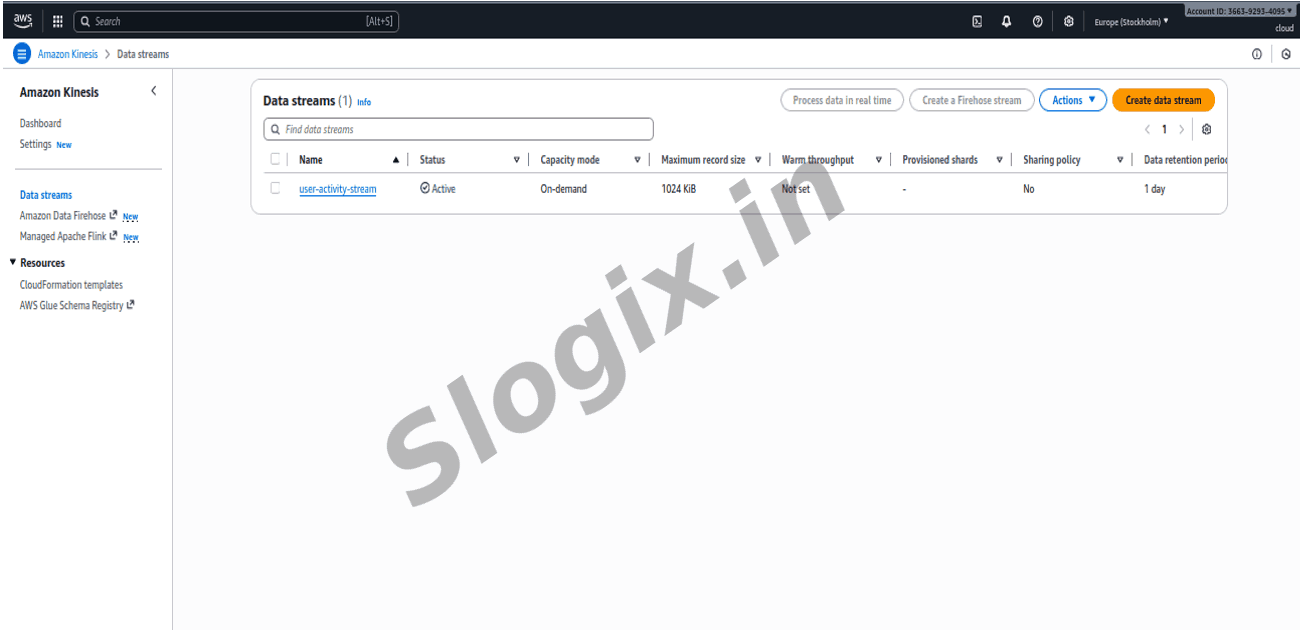
Description: It involves creating a fully managed, scalable data ingestion pipeline using Amazon Kinesis Data Streams. A new data stream is created through the Kinesis console by specifying a stream name and selecting the on-demand capacity mode, which automatically adjusts throughput without manual shard management. Once the configuration is submitted, Kinesis provisions the stream and activates it, making it ready to receive and process real-time data. This forms the foundation for building streaming applications such as analytics, monitoring, or event-driven processing pipelines.
Steps
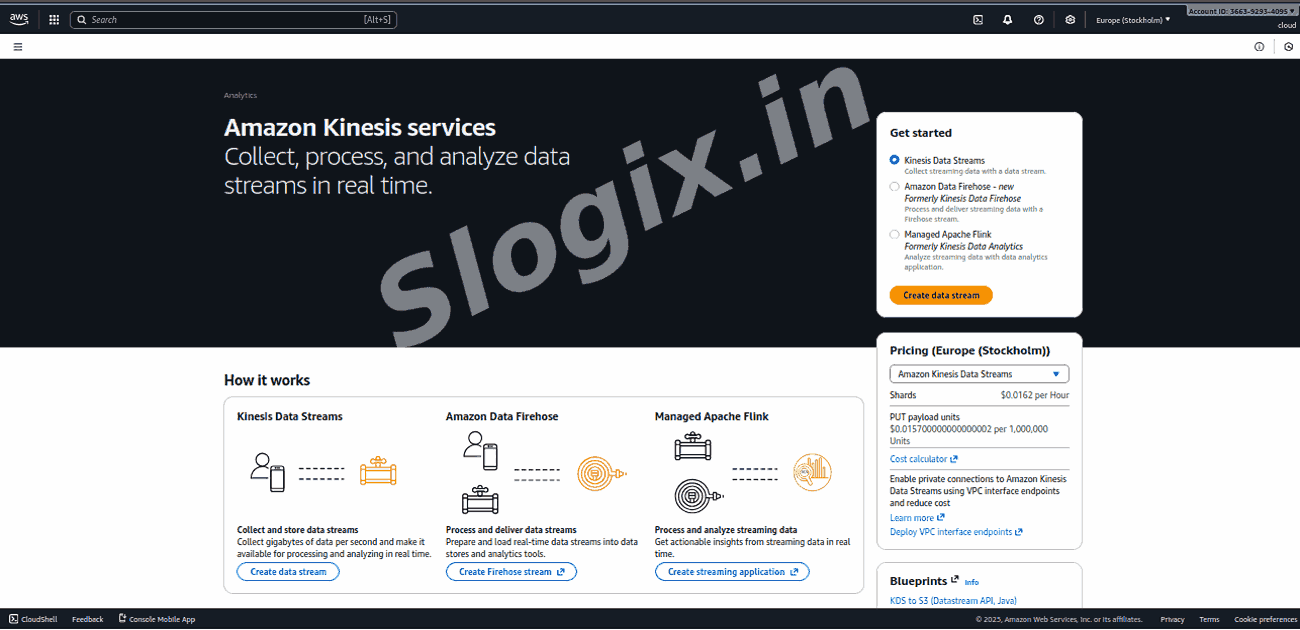
Go to AWS Console → Kinesis → Create data stream
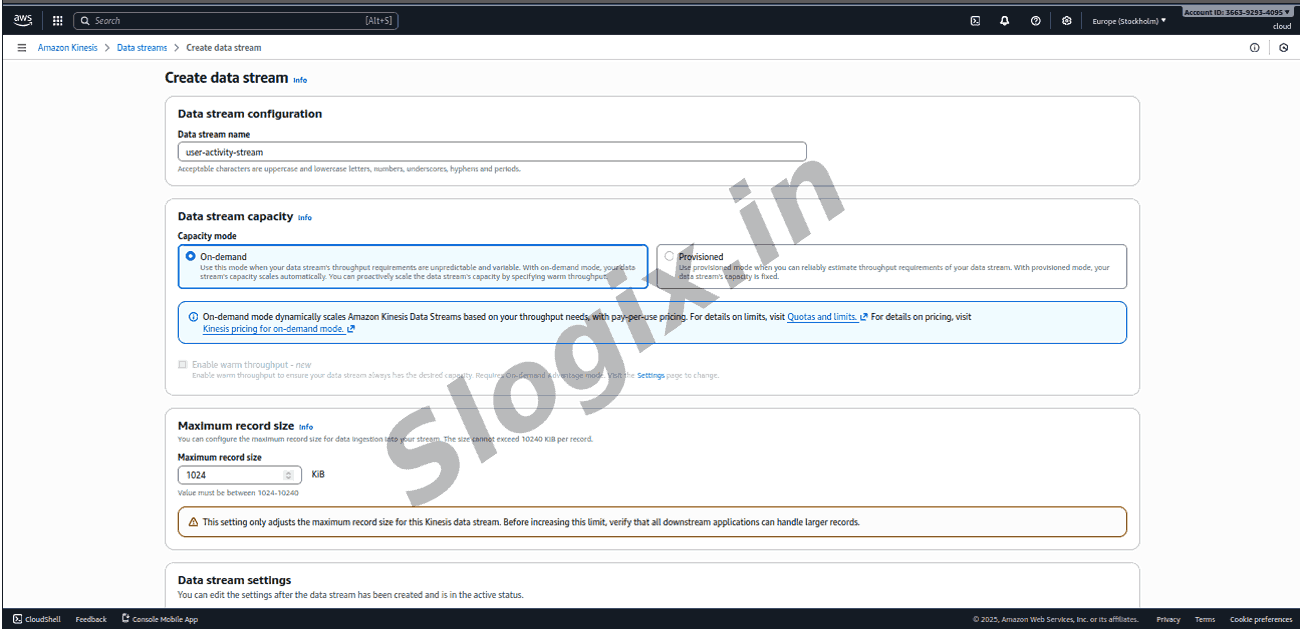
Enter the stream name: user-activity-stream
Choose On-demand capacity (auto scales shards)
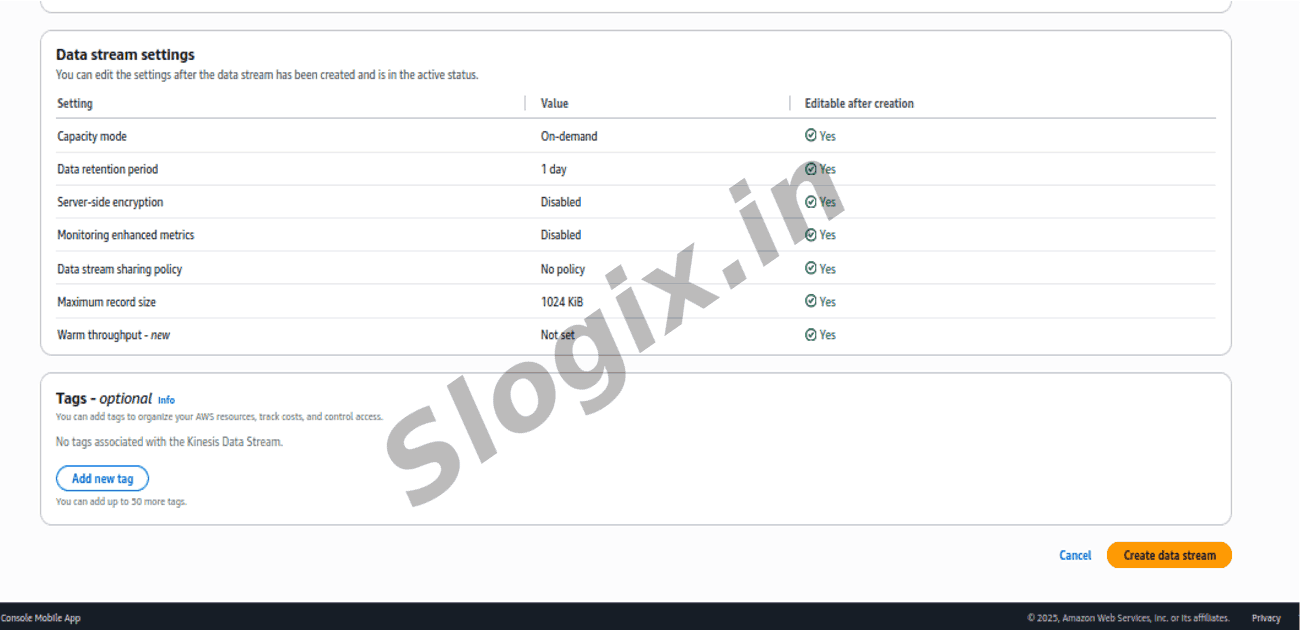
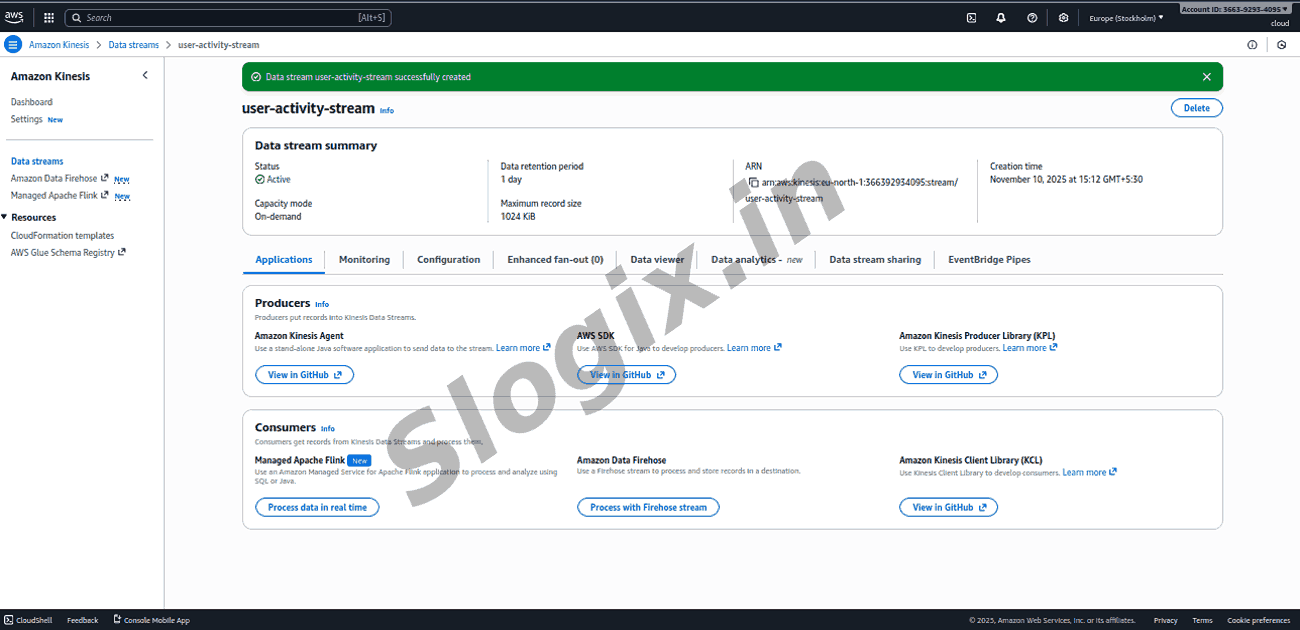
Create stream → wait until status = Active
 Research Breakthrough Possible @S-Logix