How to Launch an Ec2 Instance for Cloudwatch Monitoring?
Share
Condition for Launch an Ec2 Instance for Cloudwatch Monitoring
Description: To deploy a basic web server using Amazon EC2. First launch a Linux-based virtual machine, configure networking and security, install a web server (Apache), and host a simple HTML website. This hands-on task introduces fundamental AWS concepts including EC2 instances, security groups, public subnets, and basic server administration. By the end of the exercise, you will have a fully accessible web page running on the cloud, along with optional CloudWatch monitoring for system performance.
Steps
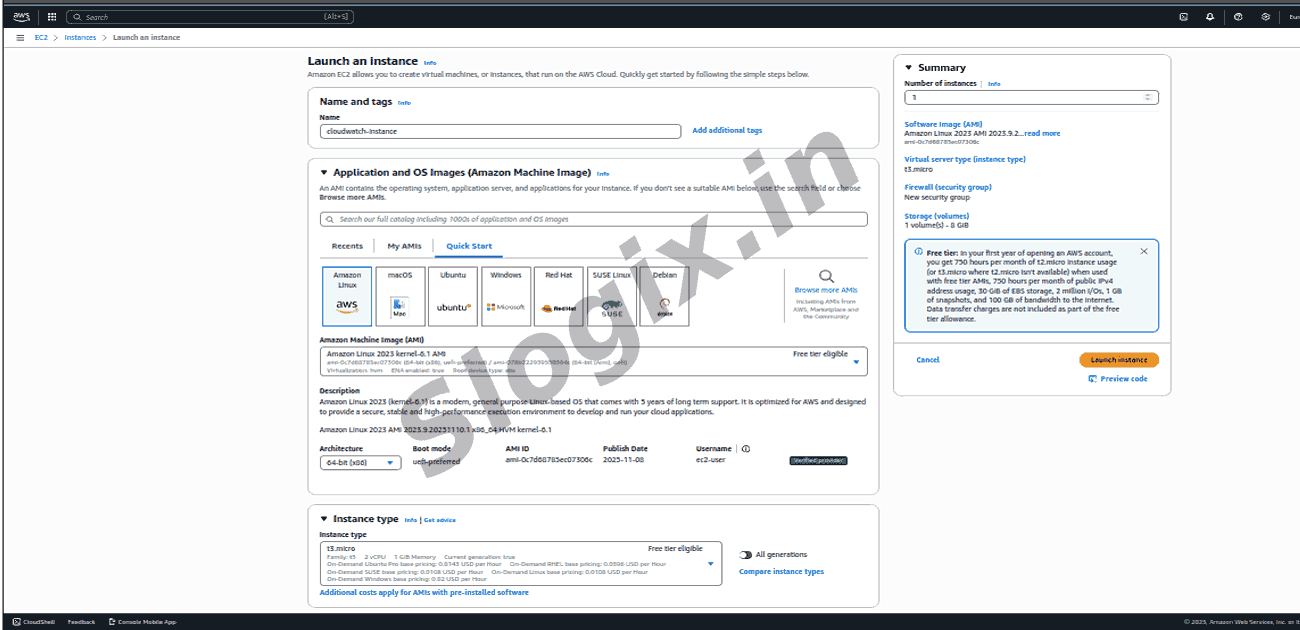
Step 1: Open the EC2 Console
Navigate to: AWS Console → EC2 → Instances → Launch Instances
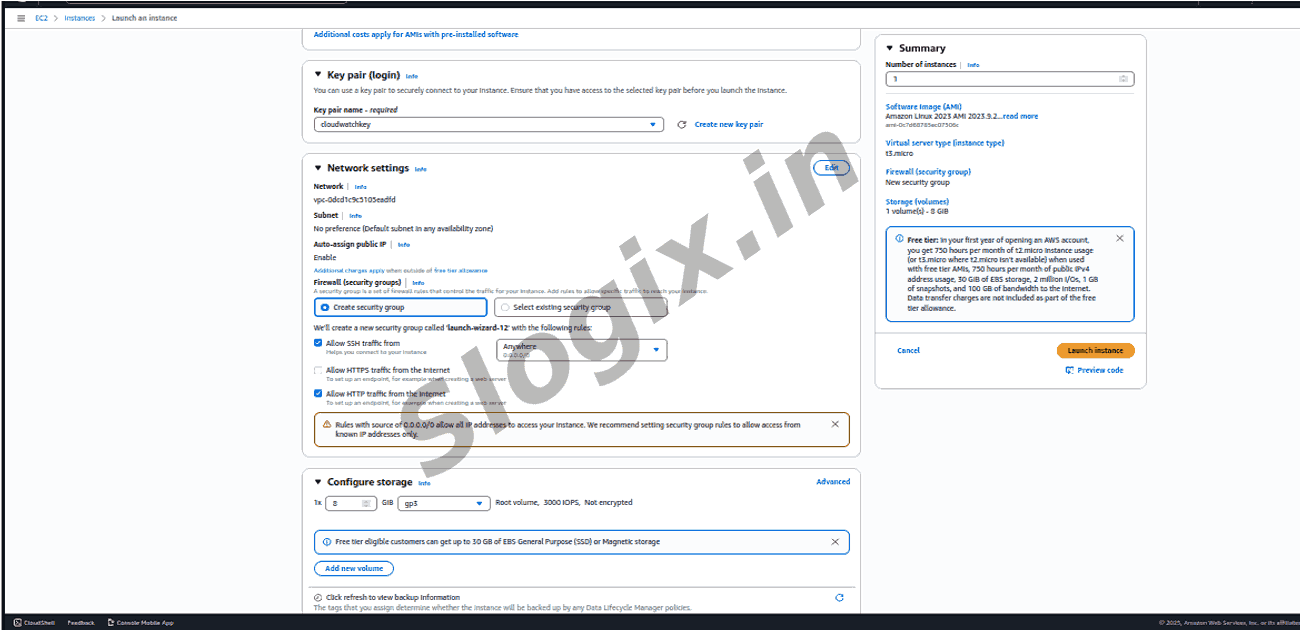
Step 3: Create / Select a Key Pair
This key pair will be used for SSH login.
If you have no key pair → click Create new key pair
Download and save it safely
Example: webserver-key.pem
Step 4: Configure Network Settings
Under Network Settings → Edit:
VPC: Default VPC
Subnet: Select a public subnet
Auto-assign Public IP: Enable
Security Group: Create a new SG with the following inbound rules:
Type
Port
Source
SSH
22
My IP
HTTP
80
0.0.0.0/0
Step 5: Launch the Instance
Click : Launch Instance
Wait until the instance reaches Status: Running.
 Research Breakthrough Possible @S-Logix