List of Topics:
Location Research Breakthrough Possible @S-Logix pro@slogix.in

Office Address

Social List

How to Send Data to a Kinesis Data Stream using the AWS CLI?

 Alarm Triggers

Condition for Send Data to a Kinesis Data Stream using the AWS CLI

  • Description:
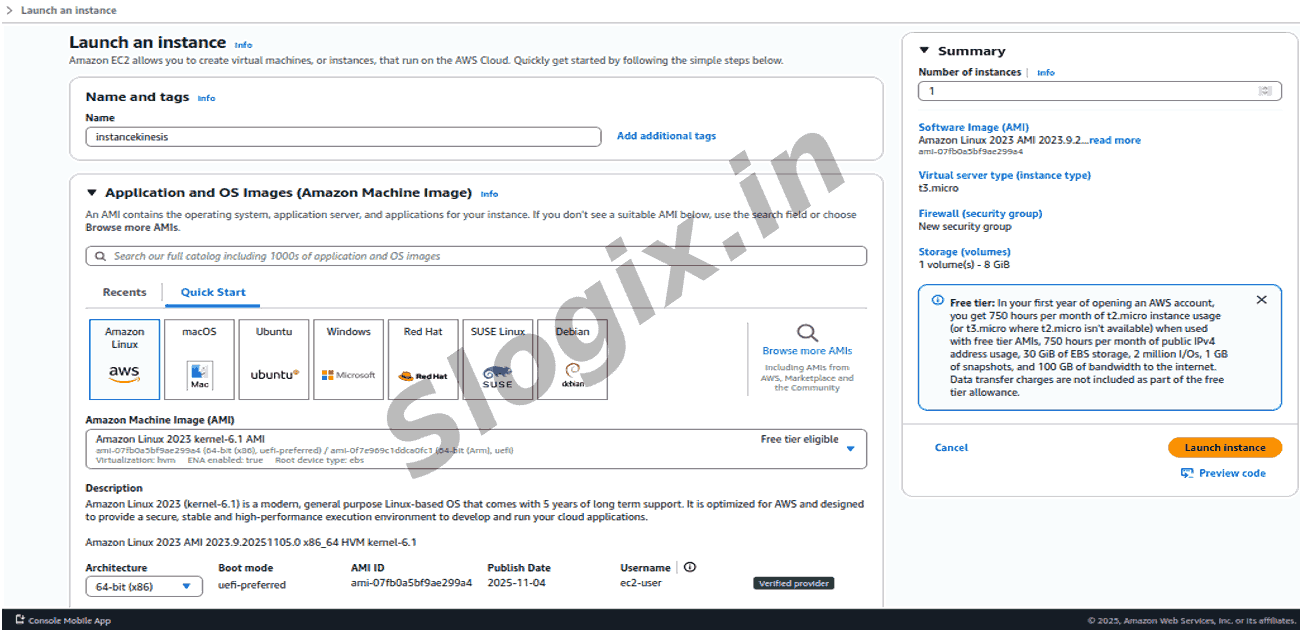
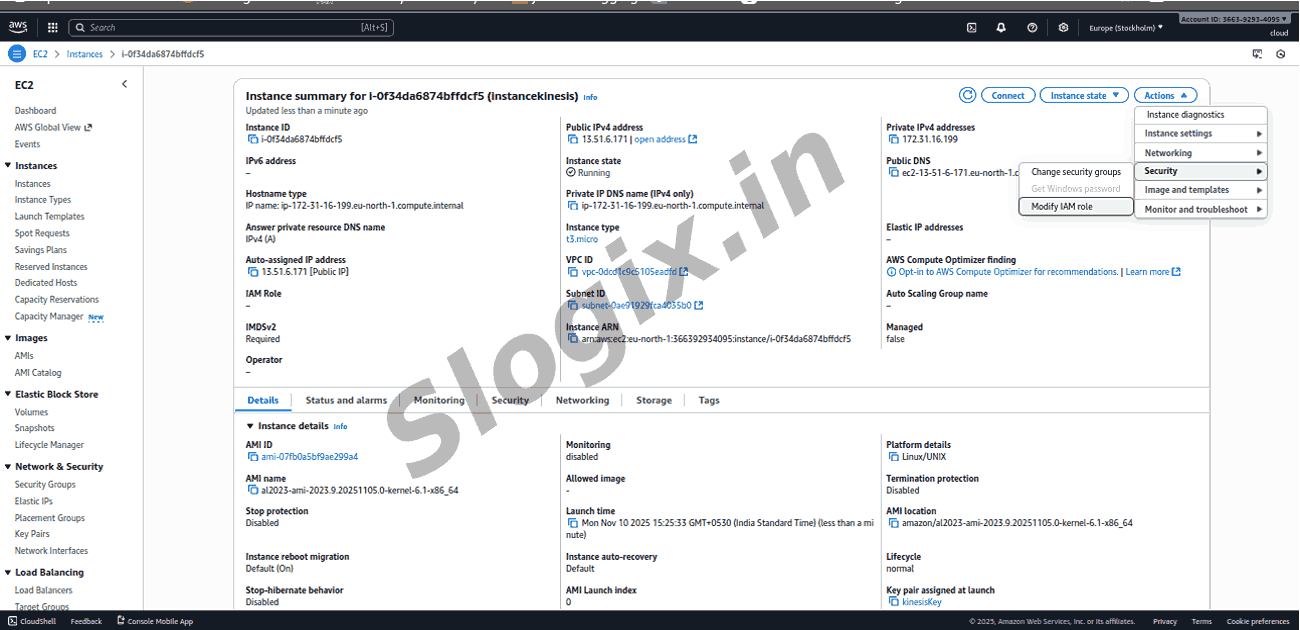
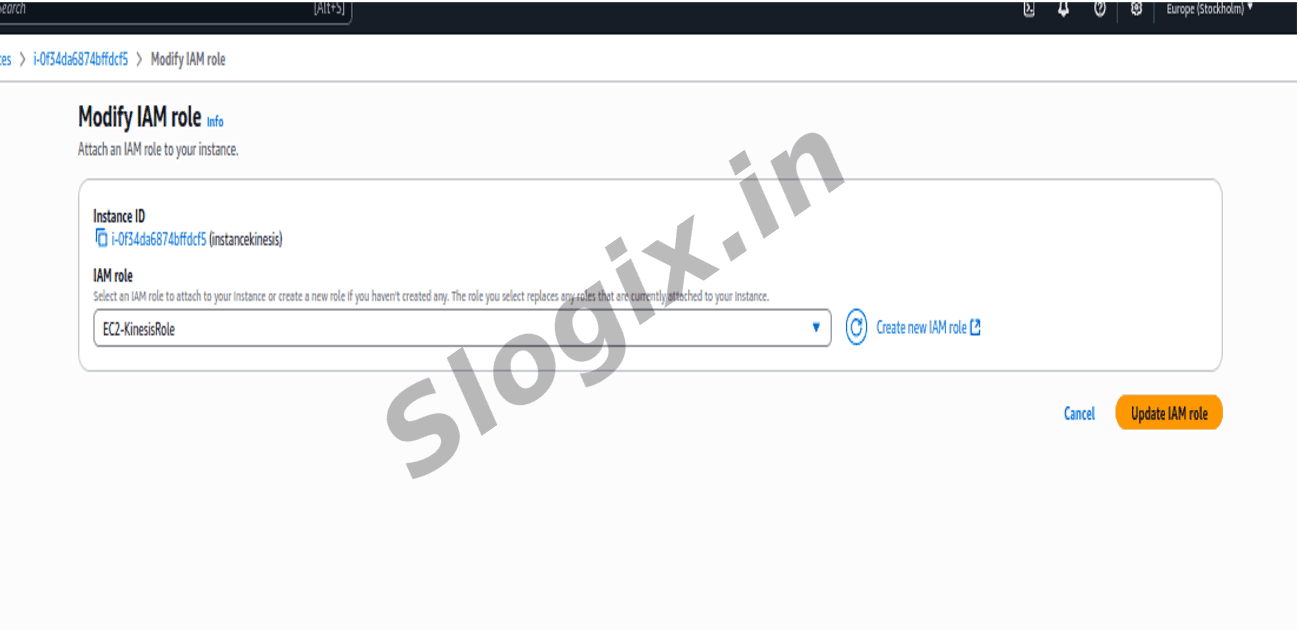
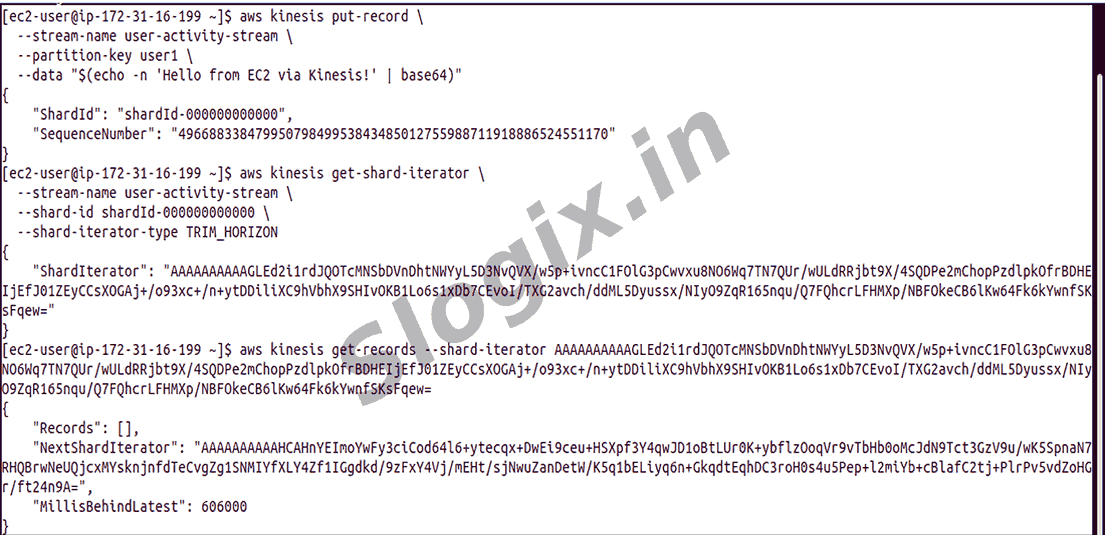
    This step demonstrates how to send data into a Kinesis Data Stream using the AWS CLI from either an EC2 instance or a local machine. By running the aws kinesis put-record command, a single data record is written into the stream, where parameters such as the stream name and partition key determine how the data is organized and routed internally. The payload is base64-encoded before transmission to meet Kinesis requirements. Once executed successfully, it confirms that the environment is correctly configured and capable of producing data to the stream. With this, the EC2 instance is fully able to publish and retrieve records, completing the end-to-end Kinesis data flow.

Steps

  •  From an EC2 instance or local machine, use AWS CLI:
     aws kinesis put-record \
     --stream-name user-activity-stream \
     --partition-key user1 \
      --data "$(echo -n 'Hello from EC2 via Kinesis!' | base64)"
    Part Description
    aws kinesis put-record Command to send (produce) one data record into a Kinesis data stream.
    --stream-name user-activity-stream The name of the Kinesis data stream.
    --partition-key user1 A key used to group data into a specific shard (helps maintain order). All records with the same key go to the same shard.
Screenshots
  • 114
  • 115
  • 116
  • 117
  • 118
  • 119
  • 120
  • 121
  • 122
  • 123
  • 124
  • 125